Identify any file type with TrID
It’s not uncommon to encounter unknown file types, especially if you receive a lot of emails with attachments in them. Of course, before clicking on any of these unknown files, it’s best to identify what kind of file it is because they might be malicious and could harm your PC. TrID is a tool that identifies unknown file types for users. Developed by Marco Pontello, TrID can provide users with the information they need to know about a file before they open it.
Top Recommended Alternative

Portability and Interface
One of the best things about TrID is the fact that no installation is necessary to get this program working. There’s no need to go through a hundred processes just to install this tiny program. All users have to do is download the archive file, extract it to a folder, and users can access TrID from the Command Prompt. What’s even better is that since no installation is required, users can keep TrID stored in a USB flash drive and bring it around with them in case they need it. Users also don’t need to worry about causing any damage to their files since this program doesn’t modify any registries.
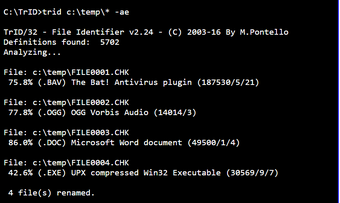
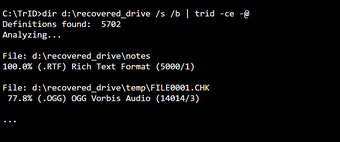
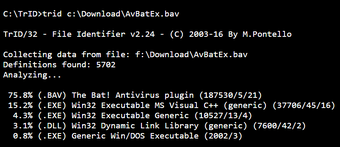
In terms of installation, this program is very lightweight and user-friendly. What’s not user-friendly is its lack of interface. For some reason, the developer of TrID decided not to provide it with a GUI. As mentioned above, the Command Prompt is where TrID can be accessed. Users need to input commands in order to execute the functions of TrID.
File Type Identification
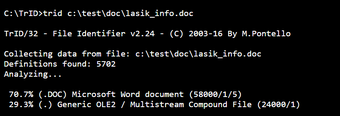
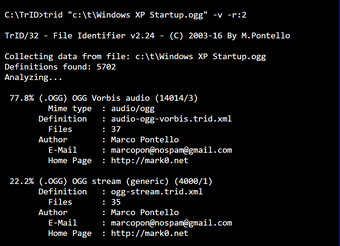
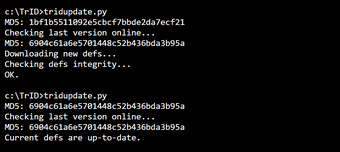
The software identifies unknown file types by reading its binary signature. TrID has a large library that contains information on over ten thousand file types. Although the library is indeed comprehensive, it’s a bit annoying that you have to download the library separately. That said, it does provide users with the chance to contribute to the list of library file types in order to increase its chances of success.
TrID vs TrIDNet
The biggest problem with TrID is definitely its lack of interface. However, TrID does have a version with a GUI and that is the TrIDNet. Frankly, for users who aren’t used to computer jargon, I would recommend sticking to TrIDNet since it has an interface that’s intuitive and easy to understand. There is also an online version of TrID known as Online TrID where users can upload the problematic file type to the Internet to be analyzed.
Reveal Any File Type
TrID can reveal and identify file types with ease and speed. It is possible for TrID to fail, but it won’t happen often. With its comprehensive library and portability, it’s a program that most people will find handy having around their PC. That said, its lack of an interface will definitely be a cause of concern for some people. If that’s the case, those users can try out TrIDNet which has an actual interface but without any sacrifice to the function. TrID is a useful little program that will save users from a lot of file type frustrations.